The Dashboard Is Watching: What Your Connected Car Knows and How to Find Out
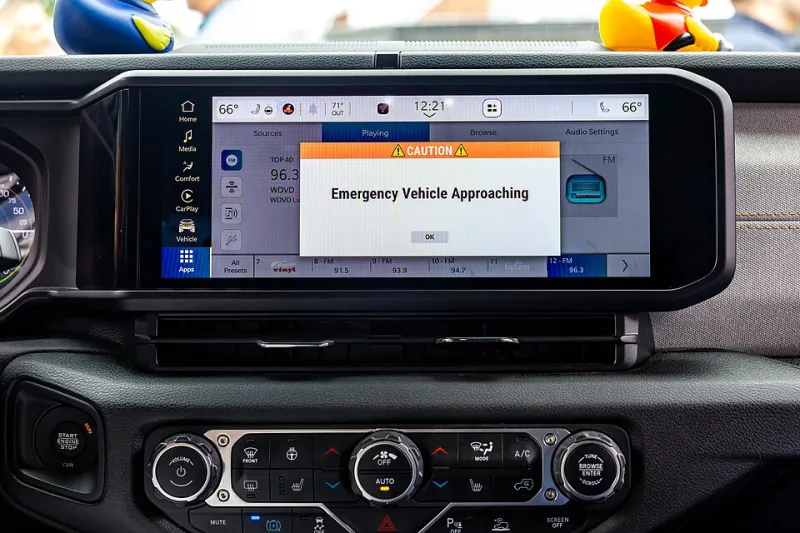
Photo: City of Detroit , CC0, via Wikimedia Commons
A new car is no longer just a machine with a computer bolted on. It is a rolling network of sensors, radios, cameras, and accounts. It knows where you drove, how hard you braked, which phone you paired, what you asked the voice assistant, and sometimes how often you checked your blind spot. Much of that data improves safety and convenience. The problem begins when the same data is used for scoring, marketing, or resale without a driver's clear understanding.
Why the Data Trail Is Longer Than You Think
Connected vehicles generate information through several channels at once. Telematics systems record vehicle health and driving events. Infotainment systems store paired devices, navigation history, and voice commands. Mobile apps associated with the brand can collect location and account activity. Emergency-call systems may transmit crash data. Dealership service visits add another layer of records.
For US drivers, the most consequential category is often driver-behavior data. Some voluntary insurance programs use telematics to offer discounts based on mileage, braking, and time of day. That can be a fair trade for some households. But drivers should understand whether the data is used only for that program or also shared with affiliates, analytics vendors, or data brokers. The answer is not always obvious from a single consent screen.
The Sharing Economy Under the Hood
Vehicle data can flow to manufacturers, service providers, dealers, financing companies, insurers, and marketing partners. Federal and state laws offer some protection, but they do not create a single national switch. State privacy laws in California, Colorado, Virginia, Texas, and elsewhere give residents rights to access, correct, or delete certain personal information, subject to exceptions. Those rights can apply to vehicle data, but the request process varies by company and by state.
A useful starting point is to treat the car as an account, not just a purchase. The manufacturer's connected-services portal, the mobile app, and the in-vehicle privacy menu are three different doors to the same data room.
A Practical Audit for US Drivers
1. Start with the account and the app
Log in to the manufacturer's connected-services account and look for a privacy or data-sharing section. Review optional sharing for marketing, analytics, and product research. Opt out of what is not required for safety or warranty service. In the mobile app, check location and notification permissions. If the app does not need background location for remote start or theft recovery, consider limiting it.
2. Review the in-vehicle privacy menu
Many newer vehicles include a settings menu for data collection, voice-assistant history, Wi-Fi, Bluetooth, and personal profiles. Read each option rather than accepting the default. Delete stored home and work addresses if you are selling the car. Unpair old phones. Do not disable emergency-call or collision-avoidance features merely to reduce data collection; those systems can save lives.
3. Read the owner's manual privacy section
Automakers bury important details in owner's manuals and connected-service terms. Look for retention periods, categories of recipients, and instructions for data requests. If a term is vague, ask the dealer or customer-service line in writing. A written answer is easier to keep and compare.
4. Use state privacy rights where available
If you live in a state with a comprehensive privacy law, you may be able to request a copy of the personal information tied to your account or vehicle identification number. Follow the manufacturer's verified request process. Keep the confirmation. If a request is denied, ask for the specific exemption being cited.
5. Prepare the car before sale or return
A factory reset is only one step. Remove personal profiles, delete navigation favorites, unpair phones, clear voice-assistant history, and cancel connected services. If the vehicle has a separate data plan, confirm that it has been transferred or terminated. Ask the dealer or buyer to document the reset.
What Not to Do
Drivers should not pull fuses or disconnect safety systems in an attempt to stop data collection. That can disable crash notification, navigation, or warranty-covered functions. Nor should anyone assume that deleting an app erases data already held by the manufacturer or its partners. Deletion requests and account closure are separate actions.
The Bottom Line
Connected cars offer real benefits: faster emergency response, better diagnostics, and convenient navigation. But convenience is not the same as informed consent. A short audit of the app, the in-vehicle menu, and the manufacturer's privacy terms gives US drivers a clearer view of what their car records and who may receive it. The dashboard is watching, but drivers can still ask better questions.